
How to Choose the Right Odoo Modules for Your Business
Odoo’s biggest strength, its modular design, is also where most businesses go wrong. Odoo now holds a 5.77% share of the global ERP market and 12 to 15% of the SME ERP segment specifically, with over 16 million users worldwide and roughly 120,000 new customers added every year. Yet ERP failure risk remains real even on a flexible platform like Odoo, with 75% of ERP projects missing their objectives and 74% exceeding budget, most often due to poor scoping rather than the software itself. Choosing modules based on what looks impressive in a demo, rather than what the business actually needs right now, is one of the fastest ways to end up in that failure statistic. This guide breaks down a practical framework for selecting the right Odoo modules for your business stage, without overbuilding or underdelivering. Why Module Selection Is the Most Important Early Decision Odoo’s modular architecture is a major advantage precisely because businesses can start small and expand later, but that advantage only pays off if the initial module selection matches actual operational needs rather than a wish list. What Happens When Module Selection Goes Wrong Paying for and maintaining modules that sit unused, adding complexity without real value Missing a core module early on, then bolting it on later with messy data migration Overcomplicating workflows for teams not yet ready for advanced automation Losing the cost advantage that makes Odoo attractive in the first place, since unnecessary modules add configuration and support overhead Start With Core Operational Modules Most successful Odoo implementations begin with a small, focused set of modules rather than a full suite rollout on day one. The Modules Most Businesses Should Start With Accounting: Almost universally considered the most critical starting module, since financial visibility underpins every other business decision Sales and CRM: Forms the foundation for tracking leads, quotes, and customer relationships from day one Inventory Management: Essential for any business handling physical goods, providing real-time stock visibility Most SMEs should start with three to five core modules and expand as the business grows, rather than deploying the full suite immediately Match Modules to Your Industry Beyond the core operational modules, the right additions depend heavily on what kind of business you actually run. Manufacturing businesses benefit most from adding Manufacturing (MRP) and Quality modules early, since production tracking and lead-time visibility drive measurable ROI, with reported reductions of 25 to 35% in production lead times Retail and eCommerce businesses should prioritize Website and eCommerce modules alongside Inventory, since Odoo’s fully integrated online store solution supports omnichannel sales without a separate platform Service-based businesses typically get more value from Project Management and Timesheets than from manufacturing-focused modules Hospitality and real estate businesses have reported 40 to 60% faster setup times when modules are chosen specifically around booking, scheduling, or property workflows rather than generic templates Evaluate Modules Against Real Operational Gaps Rather than browsing the Odoo app marketplace and picking modules that sound useful, the more reliable approach starts with mapping actual pain points first. List the specific manual processes currently consuming the most staff time Identify where data currently lives in disconnected spreadsheets or separate tools Prioritize modules that directly replace a known inefficiency over ones that add speculative future capability Avoid selecting a module simply because a competitor uses it, since operational needs vary significantly even within the same industry Also Read: 5 Signs Your Website Urgently Needs a Redesign Consider a Phased Implementation Approach A phased rollout consistently outperforms an all-at-once deployment, both in terms of cost control and user adoption. Implementation timelines for 10 to 25 users typically run two to four months, compared to six to twelve months for larger deployments with 100 or more users Starting with core financial and sales modules lets a team stabilize on the new system before layering in more complex automation Firms working with a certified Odoo partner see implementation processes roughly 40% faster than those attempting rollout without proper gap analysis beforehand Adding modules incrementally also spreads training and change management effort across a longer period, reducing disruption to daily operations When Custom Development Fits Into Module Selection Standard modules cover a wide range of business needs, but not every workflow fits neatly into an out-of-the-box configuration. This is where Odoo custom development becomes relevant, extending or adapting existing modules to match specific business logic rather than forcing a workaround inside a module that was not designed for it. Custom development should follow, not replace, a careful evaluation of what standard modules can already handle Over-customizing early, before understanding how the standard modules perform in daily use, often creates unnecessary long-term maintenance overhead The strongest implementations reserve custom development for genuine gaps, not convenience preferences that a minor process change could solve instead Avoiding Common Module Selection Mistakes Even businesses that understand Odoo’s modular structure in theory often make avoidable mistakes in practice. Selecting every available module upfront instead of starting with a focused core set Skipping a proper gap analysis before committing to a module list, which frequently leads to mismatched configurations Underestimating the training and change management required even for modules that seem intuitive Ignoring how modules will integrate with each other, since Odoo’s native integration only delivers its full value when workflows are mapped correctly across departments Getting the Right Support for Odoo Erp Development Selecting modules correctly the first time depends heavily on who is guiding the process. Businesses approaching a full Odoo ERP development project benefit significantly from a structured discovery phase that maps existing workflows before any module gets activated, rather than configuring software first and adjusting processes afterward. A proper gap analysis before development begins is one of the clearest predictors of project success Teams that skip this step frequently discover mismatches between the chosen modules and actual business requirements only after go-live Ongoing support after initial deployment, including configuration tweaks and new module additions as the business grows, should be planned as
Why Search Intent Matters More Than Search Volume

For years, keyword strategy revolved around one number: how many people search a term each month. That approach is quietly failing businesses in 2026. SEO converts 84.62% more users than paid search, according to FirstPageSage, yet that advantage only holds when content actually matches what the searcher wants, not just what they typed. Data from BrightEdge shows pages ranking in the top 10 today carry 50% lower keyword density than pages did just two years ago, a clear signal that Google itself has shifted its evaluation away from raw keyword matching toward genuine relevance. Meanwhile, 54% of SEO professionals now name content quality and search intent as their top active strategy for 2026, more than double the priority given to any single technical tactic. The takeaway is straightforward: chasing volume without understanding intent is increasingly a losing strategy. What Search Intent Actually Means Search intent is the underlying reason behind a query, the actual goal a person has when they type something into a search engine, rather than the literal words they used to express it. The Four Core Types of Search Intent Informational intent: the searcher wants to learn something, such as “what is search intent” Navigational intent: the searcher is looking for a specific website or brand, such as “Sevencore blog” Commercial investigation intent: the searcher is comparing options before deciding, such as “best SEO tools 2026” Transactional intent: the searcher is ready to act, such as “hire SEO agency” or “buy project management software” Why High Search Volume Can Be Misleading A keyword with tens of thousands of monthly searches looks appealing on paper, but volume alone says nothing about whether those searchers actually want what a business offers. A broad term like “project management” might draw 100,000 monthly searches, but the vast majority of those searchers are researching, comparing, or simply curious rather than ready to buy High-volume keywords are usually dominated by massive, established domains, making them exceptionally difficult and expensive to rank for Search volume tells you how often a query is typed, not why it was typed or whether the searcher is close to a decision Why Intent-Driven Keywords Convert Better The inverse relationship between search volume and buying intent is one of the most consistent patterns in SEO data. As intent strengthens and moves toward a transactional stage, volume almost always drops, and that tradeoff is exactly why intent-focused strategy wins. Local search intent now accounts for roughly 46 to 51% of all Google searches, and 76% of people who search for something nearby on their phone visit a related business within 24 hours SEO delivers a return of $22 for every $1 spent according to SmartInsights data, a figure driven largely by intent-matched content rather than sheer traffic volume B2B SaaS companies report an average SEO ROI of 702%, with long-tail, intent-specific queries driving lower-cost conversions than broad, high-volume terms How to Evaluate Keywords Beyond Volume A more reliable framework treats volume as just one input among several, rather than the primary decision factor. A Practical Keyword Value Framework Relevant traffic: does the keyword actually match what your business offers Conversion intent: how close is the searcher to taking action Competition and page fit: can you realistically compete for this term, and does an existing page match the query well Margin potential: is the resulting traffic valuable enough to justify the content investment Keyword value works best as a combination of these factors rather than any single metric in isolation, since a term can look attractive on volume alone while failing every other test that actually predicts business results. Search Intent in the Age of AI Search The shift toward intent has accelerated further as AI-powered search tools change how results get consumed. Zero-click searches now account for 58.5% of all queries, meaning a growing share of searchers get their answer without ever visiting a website. This makes matching intent precisely even more important, since content that clearly and directly answers a specific question is far more likely to get surfaced or cited by AI Overviews and generative answer engines than content built primarily around keyword density. Content that directly answers a well-defined question performs better in both traditional rankings and AI-generated summaries Featured snippet positions still drive branded search volume and downstream conversions even when the click-through does not happen immediately Voice search queries average 29 words compared to just three to four words for typed searches, reflecting a much stronger intent signal packed into a single natural-language query Building Content Around Intent Instead of Volume Shifting a content strategy away from volume-first thinking requires a genuinely different research and planning process. Group keywords by the intent stage they represent, not just by topic or volume tier Prioritize commercial and transactional queries for pages tied directly to revenue, even when their volume looks modest Reserve high-volume informational keywords for top-of-funnel content designed to build authority rather than immediate conversions Audit existing top-performing pages to see which intent category actually drives the most conversions, then double down there Common Mistakes When Prioritizing Volume Over Intent Even experienced marketers fall into a handful of recurring traps when volume becomes the dominant decision factor. Chasing broad, high-volume terms that are already dominated by major established domains with little realistic chance of ranking Ignoring commercial and transactional queries because their lower volume looks unimpressive on a report Building content that technically matches a keyword’s wording but fails to actually address why the person searched it Measuring success purely through traffic volume instead of tracking conversion rate by intent category Frequently Asked Questions Should businesses stop targeting high-volume keywords entirely? No. High-volume, informational keywords still play a valuable role in building topical authority and top-of-funnel visibility. The mistake is treating volume as the primary signal rather than balancing it against intent and realistic ranking potential. How can a business tell if a keyword has strong buying intent? Look for action-oriented language such as “buy,” “hire,” “best,” or “near
How Is AI Changing SEO Search in 2026 – 2027?
Search isn’t just a process of entering a query and getting a list of links anymore. Google AI Overviews, AI Mode, ChatGPT, and others are reshaping the way people go about discovering information, comparing alternatives and determining what sources to trust. With so many synthetic answers processed by AI, users no longer have to visit several websites to obtain the answer they are looking for. How is AI changing SEO in 2026? AI is transforming SEO from page ranking and click generation to more of an understanding, trust, citation and recommendation approach to search systems. While traditional rankings are still relevant, brands must also make sure that the content they have is easily accessible for AI to quickly extract, verify and utilize for answers. The visibility of search results and AI-driven answers are becoming more crucial, with citations, brand mentions, AI referral traffic, and assisted conversions now more significant than clicks and rankings. What Is AI Search, and How Is It Different From Traditional SEO? AI search is a type of search that leverages AI to better understand a user’s query, fetch relevant information, and create a synthesized answer as opposed to just ranking a list of web pages. SEO vs AEO vs GEO — Comparison Table Aspect SEO AEO GEO Full Form Search Engine Optimization Answer Engine Optimization Generative Engine Optimization What It Does When it comes to improving a webpage’s visibility and ranking in the traditional search engine results, it is the SEO expert who can help. Restructures coding for content that will allow search and answer engines to give direct answers to users’ queries. Investigates ways to improve the likelihood of the brand or source being cited, included or recommended in the answers generated by AI. Primary Purpose Be seen more and get organic clicks. To be the answer to a query by a user. To join the answer generated by AI. Focus Areas Focuses on keywords, crawlability, backlinks, technical SEO and page relevance. Focuses on short answers, FAQs, chunked content and question keywords. Focuses on the extractability and verifiability of elements, contextual clarity, entity authority and brand signals. How to Measure Rankings and traffic from organic search. Answer inclusion, answer visibility. AI citations, share of model/brand mentions, AI referral traffic. All three disciplines are complementary and not mutually exclusive. While AI is reshaping SEO, it is clear that traditional techniques will not be completely replaced by AI algorithms.Though AI is transforming SEO, it is essential to remember that traditional SEO has its own role and can’t be fully replaced by AI algorithms. In the past, businesses had to optimize for the information being located after the URL, but now things are different. How Much Search Has Already Shifted to AI The behavioural change is becoming reality. From 2025 to 2026, AI-powered discovery is increasingly a factor in the search experience, with multiple datasets revealing that it is already a major driver of the search landscape, especially for research-oriented and conversational queries. AI Search by the Numbers Data from Salt Creative in June 2026 indicates that Google’s AI Overviews have a reach of over 2 billion users monthly in over 200 countries. In addition, ChatGPT has become the world’s most popular weekly active user with over 700 million. (sltcreative.com) The 93% zero-click rate in AI Mode is based on industry analysis data from Digital Applied 2026, which indicate that about 93% of the visits to Google AI Mode are not to external websites. (Digital Applied) More detailed and conversational user questions, 3× longer queries: Google reported that users asking questions in AI Mode are asking about 3 times the number of words, which is indicative of more detailed and conversational user queries. (Q4 Capital) According to Gen Z: Semrush, in November 2025, almost 35% of the Gen Z users in the USA used AI chatbots to look for information. (Semrush) 58.5% zero-click: Goodfirms notes 58.5% of all Google searches are zero-click, and only 14% of marketers now track the visibility of citations from AI/ LLMs. (Goodfirms) 43% are using AI optimization: 43% of marketers are actively using AI and LLM optimization; SEO is one of the fastest growing strategic areas of marketing. (Goodfirms) The numbers illustrate an important difference. AI isn’t just taking the place of search. It’s growing the search engine ecosystem. From Rankings to Citations For years, the focus of SEO reporting was on these questions: What’s our rank? How many people visited our website? How many visitors did we attract to our website? Was there a decrease or increase in our organic CTR? The questions haven’t gone away but they don’t fully explain it anymore. Over the years, companies have been making increasing efforts to track: Number of citations / references to the brand: How many times is the brand cited or mentioned in an AI system? Model share: What percentage of the brand is being used in comparison to the other brands when it comes to pertinent prompts? AI referral traffic: What is the amount of traffic coming from AI platforms? Assisted conversions: How many times does AI visibility help to trigger a conversion? What’s crucial is not to give up on rankings. It’s to get rid of thinking about ranking as the sole measure of success. From Keywords to Entities and Intent Look at the difference between “CRM software” vs. “What CRM software is best for a 50-person B2B sales team that wants to be integrated with Salesforce, have automated reporting, and be implemented in a matter of months?” While the use of keywords still works, it’s now more difficult to distill information down to just a single word or phrase for a user with AI search. The second question has both intent and context, constraints and multiple related entities. AI search is designed to handle that more contextual information. From Content Volume to Content Verifiability It is easier to create content with Generative AI. Which means more
Common Odoo Migration Mistakes and How to Avoid Them
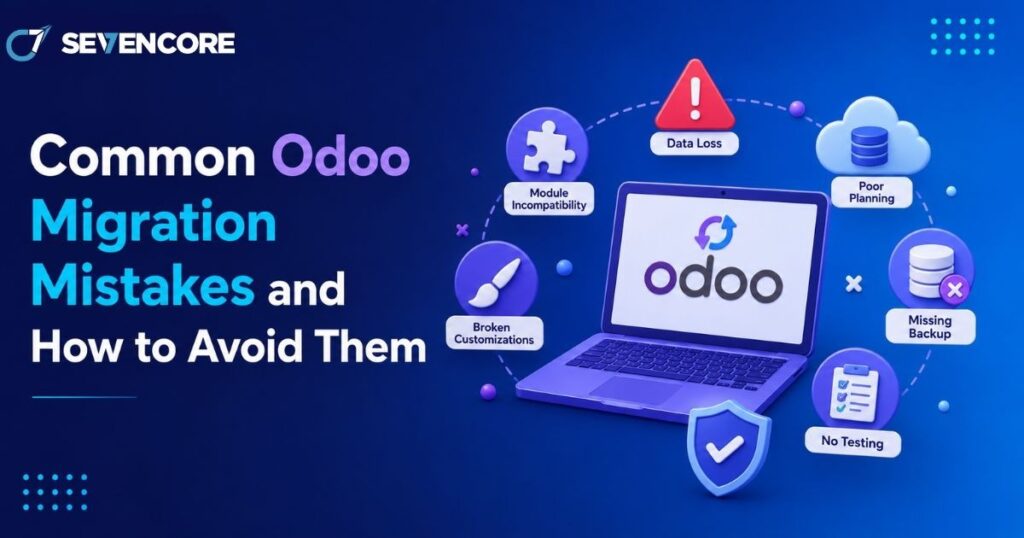
Migrating to Odoo promises fewer disconnected tools and cleaner workflows, but the process itself carries real risk if it is rushed. Industry research shows that 51% of ERP projects fail to deliver expected results due to poor execution, and Gartner puts overall ERP implementation failure rates above 70%, with roughly a quarter failing catastrophically. The root cause is almost never the software itself. It is nearly always how the migration was planned and executed. This guide walks through the mistakes that repeatedly derail Odoo migrations and what to do instead, so your project lands closer to the successful outcomes than the failed ones. Why Odoo Migrations Fail More Often Than Expected Odoo is flexible enough to fit almost any business, which is exactly why migrations go wrong. Teams either try to force Odoo into replicating their old system exactly, or they underestimate how much preparation a clean rollout actually requires. The Most Common Root Causes Treating migration as a simple software swap instead of a business process change Jumping into technical configuration before mapping existing workflows Underestimating the time and effort needed for Odoo migration planning Assuming the migration partner will catch every gap without clear internal input Mistake 1: Skipping a Proper Data Audit Before Migration Poor data quality is often described as the silent killer of ERP projects, and Odoo migrations are no exception. Moving duplicate records, outdated customer entries, or inconsistent product data straight into a new system just carries the same problems forward into a platform that was supposed to fix them. How to Avoid It Cleanse and de-duplicate data before migration begins, not during the cutover Migrate master data such as products, customers, and vendors before transactional records Run validation and count reconciliation checks at every stage of the transfer Mistake 2: Underestimating Odoo Database Migration Complexity Many teams assume moving data from one system to another is a straightforward export-and-import job. In practice, odoo database migration involves mapping fields between two very different data models, preserving historical relationships between records, and testing that nothing breaks once the data lands in its new structure. Businesses that treat this step lightly frequently discover broken links between orders, invoices, and inventory only after go-live, when fixing the issue is far more disruptive. Mistake 3: Over-Customizing Instead of Adapting to Odoo’s Native Workflow Over-customization that bypasses Odoo’s built-in structure is consistently cited as one of the leading causes of failed implementations. Businesses that insist on replicating every custom report and legacy workaround from their old system end up with a fragile, expensive-to-maintain build that defeats the purpose of upgrading in the first place. Start with Odoo’s native modules and workflows before requesting custom development Document a clear business justification for every customization request Revisit old processes critically rather than assuming they need to be preserved exactly Mistake 4: Starting Migration Without a Clear Roadmap Diving into data imports or module configuration without an agreed project plan is one of the fastest ways to trigger delays and rework. Teams that figure things out as they go typically discover mid-project that they have no clear path to their original goal, which often leads to scope creep and missed deadlines. Signs Your Project Is Missing a Roadmap No documented timeline with clear milestones for each migration phase No agreed definition of what “done” looks like before go-live Business stakeholders learning about scope changes after they have already happened Mistake 5: Insufficient Testing Before Go-Live Skipping structured testing cycles is another common way migrations unravel after launch. Organizations that run proper user acceptance testing before cutover report significantly fewer post-launch issues than those that rush straight to production. A single test pass is rarely enough for anything beyond the simplest datasets. Run multiple test migration cycles with increasing data volumes Involve actual end users in testing, not just the technical team Keep a rollback procedure ready in case the final cutover surfaces unexpected issues Mistake 6: Weak Change Management and User Adoption Planning A technically flawless migration can still fail if employees do not know how to use the new system or resist adopting it. Insufficient change management is consistently listed among the leading causes of ERP project struggles, alongside poor data quality and unclear scope. Train users well before go-live, not during the first week of production use Assign internal champions who can answer day-to-day questions after launch Communicate why the migration is happening, not just what is changing Choosing the Right Partner for Odoo Data Migration Services Many of the mistakes above are avoidable simply by working with a team that has handled this transition before. Experienced odoo data migration services bring structured discovery, tested migration scripts, and a realistic timeline instead of an ad hoc approach built on assumptions. A qualified partner will also flag scope and data quality issues early, before they turn into expensive fixes after go-live. If your migration also involves adapting workflows to fit your business, it is worth pairing this with Odoo customization services planned from the start rather than bolted on afterward. Frequently Asked Questions How long does a typical Odoo migration take? Timelines vary by data volume and complexity, but most mid-sized migrations run between 8 and 16 weeks, including data cleansing, testing cycles, and a planned cutover window. What causes the most post-launch issues in Odoo migrations? Poor data quality and insufficient testing before go-live are the two most frequently cited causes, often compounding each other when unclean data is pushed through untested workflows. Can a failed Odoo migration be fixed after go-live? Yes, though it typically costs more than getting it right the first time. Many Odoo partners specialize specifically in rescuing stalled or broken implementations, auditing what went wrong, and rebuilding the affected areas. Building a Migration Checklist That Actually Works Before starting, it helps to consolidate the lessons above into a short, practical checklist: Audit and cleanse legacy data before any transfer begins Map business processes before configuring modules Limit customization to genuine business needs, not habit
WordPress vs Custom Development: Which Is Right for Your Project?
Every new website project eventually runs into the same fork in the road: build on WordPress or build custom. The numbers show just how lopsided this decision usually is in practice. WordPress now powers roughly 43% of all websites on the internet and commands close to 60% of the entire CMS market, according to W3Techs data. Yet that popularity comes with a tradeoff, since WordPress sites face an estimated 90,000 attack attempts per minute, and 97% of reported vulnerabilities trace back to third-party plugins and themes rather than the core software. Those two facts alone explain why this decision is not as simple as picking the more popular option. This guide breaks down when WordPress makes sense, when custom development is worth the extra investment, and how to decide with confidence. What Is WordPress Development? WordPress is an open-source content management system that lets users build and manage websites through pre-built themes, a plugin ecosystem, and a visual editor. It was originally built for blogging but has grown into a platform capable of running online stores, membership sites, and corporate web presences. How WordPress Sites Are Typically Built A theme controls the visual layout and design foundation Plugins add functionality such as SEO tools, forms, ecommerce, or caching A visual page builder allows non-technical users to edit content without touching code Hosting and updates are usually managed through a standard control panel What Is Custom Development? Custom development means building a website or application from scratch using a framework or programming language chosen specifically for the project, rather than relying on a pre-built CMS. This could mean a bespoke stack using React, Laravel, Django, or a headless architecture with a custom backend. How Custom Builds Typically Work Developers write the codebase around the exact business logic required No dependency on third-party plugins for core functionality Architecture is chosen based on performance, scale, and integration needs Ongoing maintenance is handled by the development team rather than a plugin marketplace WordPress vs Custom Development: Key Differences Cost and Timeline One of the first questions any team asks is WordPress vs custom development cost, and the gap can be significant. WordPress projects can often launch in a matter of weeks using existing themes and plugins, keeping upfront costs lower. Custom builds require more design and engineering hours before anything goes live, which raises the initial investment but can reduce costly rework later if the project scales quickly. Flexibility and Control WordPress relies on existing plugins, which can limit how deeply a feature can be customized Custom development gives full control over every function, since there is no plugin dependency to work around Headless or hybrid setups can offer a middle ground, using WordPress as a backend with a custom frontend Performance Custom-built sites are generally leaner because they only include the code the project actually needs. WordPress sites can accumulate plugin bloat over time, which slows load speed unless actively managed and optimized. Security Given that a large share of WordPress vulnerabilities originate in third-party plugins, security becomes an ongoing maintenance responsibility rather than a one-time setup task. Custom-coded applications are not automatically safer, but they remove the risk introduced by an unmanaged plugin marketplace, shifting security responsibility entirely onto the development team. Must read: Why Website Development Is More Important Than Ever in 2026 Benefits of Each Approach Why Businesses Choose WordPress Faster time to launch for content-driven or small business sites Large talent pool, making it easier to find support later Strong built-in SEO tooling through plugins like Yoast or Rank Math Lower upfront cost for straightforward websites Why Businesses Choose Custom Development Understanding the core custom web development benefits helps explain why larger or fast-growing companies often move away from off-the-shelf platforms. Custom applications scale more predictably under heavy traffic, integrate more cleanly with internal systems like CRMs or proprietary databases, and avoid the technical debt that can build up from stacking too many plugins on a single WordPress install. For products with unique workflows, such as marketplaces or SaaS dashboards, a custom foundation is often the only realistic path. Common Website Development Mistakes to Avoid Choosing between these two paths goes wrong more often than it should, and most of the failures repeat the same patterns. Avoiding these website development mistakes early can save significant rework: Choosing WordPress for a highly complex application that will outgrow the plugin ecosystem within a year Choosing custom development for a simple brochure site that never needed that level of engineering investment Underestimating ongoing plugin maintenance and security patching on a WordPress install Failing to plan for scalability before traffic actually arrives Ignoring hosting requirements, since custom applications often need different infrastructure than shared WordPress hosting When to Bring In Custom Web Development Services Not every internal team has the bandwidth or expertise to weigh these tradeoffs accurately, especially for projects involving complex integrations or compliance requirements. Working with custom web development services can help clarify which architecture fits the actual business goals, rather than defaulting to whichever platform the team already knows. A good development partner will also flag long-term maintenance costs upfront, which are easy to underestimate in the planning phase of either approach. Emerging Custom Software Development Trends The decision between WordPress and custom development is increasingly shaped by broader custom software development trends. Headless architecture is growing quickly, letting teams pair a WordPress backend with a fully custom frontend built in React or Vue, capturing some of the speed benefits of WordPress with more design freedom. AI-assisted development tools are also shortening custom build timelines, narrowing the cost gap that used to favor WordPress for smaller projects. At the same time, AI website builders are starting to compete directly with WordPress for simple sites, adding a third option many teams did not have a few years ago. Frequently Asked Questions Is WordPress good enough for a business website? Yes, for most standard business websites, blogs, and small ecommerce stores, WordPress provides enough flexibility and a lower cost of