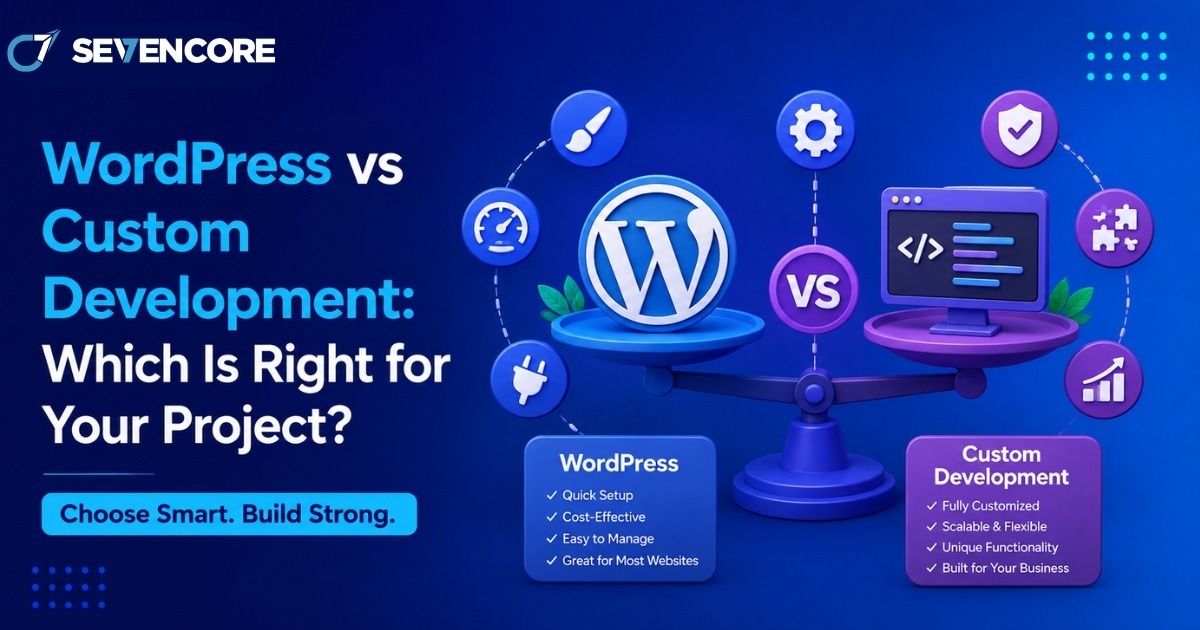
Every new website project eventually runs into the same fork in the road: build on WordPress or build custom. The numbers show just how lopsided this decision usually is in practice. WordPress now powers roughly 43% of all websites on the internet and commands close to 60% of the entire CMS market, according to W3Techs data. Yet that popularity comes with a tradeoff, since WordPress sites face an estimated 90,000 attack attempts per minute, and 97% of reported vulnerabilities trace back to third-party plugins and themes rather than the core software. Those two facts alone explain why this decision is not as simple as picking the more popular option. This guide breaks down when WordPress makes sense, when custom development is worth the extra investment, and how to decide with confidence.
What Is WordPress Development?
WordPress is an open-source content management system that lets users build and manage websites through pre-built themes, a plugin ecosystem, and a visual editor. It was originally built for blogging but has grown into a platform capable of running online stores, membership sites, and corporate web presences.
How WordPress Sites Are Typically Built
- A theme controls the visual layout and design foundation
- Plugins add functionality such as SEO tools, forms, ecommerce, or caching
- A visual page builder allows non-technical users to edit content without touching code
- Hosting and updates are usually managed through a standard control panel
What Is Custom Development?
Custom development means building a website or application from scratch using a framework or programming language chosen specifically for the project, rather than relying on a pre-built CMS. This could mean a bespoke stack using React, Laravel, Django, or a headless architecture with a custom backend.
How Custom Builds Typically Work
- Developers write the codebase around the exact business logic required
- No dependency on third-party plugins for core functionality
- Architecture is chosen based on performance, scale, and integration needs
- Ongoing maintenance is handled by the development team rather than a plugin marketplace
WordPress vs Custom Development: Key Differences
Cost and Timeline
One of the first questions any team asks is WordPress vs custom development cost, and the gap can be significant. WordPress projects can often launch in a matter of weeks using existing themes and plugins, keeping upfront costs lower. Custom builds require more design and engineering hours before anything goes live, which raises the initial investment but can reduce costly rework later if the project scales quickly.
Flexibility and Control
- WordPress relies on existing plugins, which can limit how deeply a feature can be customized
- Custom development gives full control over every function, since there is no plugin dependency to work
- around
- Headless or hybrid setups can offer a middle ground, using WordPress as a backend with a custom frontend
Performance
Custom-built sites are generally leaner because they only include the code the project actually needs. WordPress sites can accumulate plugin bloat over time, which slows load speed unless actively managed and optimized.
Security
Given that a large share of WordPress vulnerabilities originate in third-party plugins, security becomes an ongoing maintenance responsibility rather than a one-time setup task. Custom-coded applications are not automatically safer, but they remove the risk introduced by an unmanaged plugin marketplace, shifting security responsibility entirely onto the development team.
Must read: Why Website Development Is More Important Than Ever in 2026
Benefits of Each Approach
Why Businesses Choose WordPress
- Faster time to launch for content-driven or small business sites
- Large talent pool, making it easier to find support later
- Strong built-in SEO tooling through plugins like Yoast or Rank Math
- Lower upfront cost for straightforward websites
Why Businesses Choose Custom Development
Understanding the core custom web development benefits helps explain why larger or fast-growing companies often move away from off-the-shelf platforms. Custom applications scale more predictably under heavy traffic, integrate more cleanly with internal systems like CRMs or proprietary databases, and avoid the technical debt that can build up from stacking too many plugins on a single WordPress install. For products with unique workflows, such as marketplaces or SaaS dashboards, a custom foundation is often the only realistic path.
Common Website Development Mistakes to Avoid
Choosing between these two paths goes wrong more often than it should, and most of the failures repeat the same patterns. Avoiding these website development mistakes early can save significant rework:
- Choosing WordPress for a highly complex application that will outgrow the plugin ecosystem within a year
- Choosing custom development for a simple brochure site that never needed that level of engineering investment
- Underestimating ongoing plugin maintenance and security patching on a WordPress install
- Failing to plan for scalability before traffic actually arrives
- Ignoring hosting requirements, since custom applications often need different infrastructure than shared WordPress hosting
When to Bring In Custom Web Development Services
Not every internal team has the bandwidth or expertise to weigh these tradeoffs accurately, especially for projects involving complex integrations or compliance requirements. Working with custom web development services can help clarify which architecture fits the actual business goals, rather than defaulting to whichever platform the team already knows. A good development partner will also flag long-term maintenance costs upfront, which are easy to underestimate in the planning phase of either approach.
Emerging Custom Software Development Trends
The decision between WordPress and custom development is increasingly shaped by broader custom software development trends. Headless architecture is growing quickly, letting teams pair a WordPress backend with a fully custom frontend built in React or Vue, capturing some of the speed benefits of WordPress with more design freedom. AI-assisted development tools are also shortening custom build timelines, narrowing the cost gap that used to favor WordPress for smaller projects. At the same time, AI website builders are starting to compete directly with WordPress for simple sites, adding a third option many teams did not have a few years ago.
Frequently Asked Questions
Is WordPress good enough for a business website?
Yes, for most standard business websites, blogs, and small ecommerce stores, WordPress provides enough flexibility and a lower cost of entry than a fully custom build.
When does custom development make more sense than WordPress?
Custom development becomes the better choice when a project needs unique workflows, tight integrations with internal systems, or performance at a scale that plugin-based architecture cannot reliably support.
Can WordPress and custom development be combined?
Yes. A growing number of teams use a headless setup, where WordPress manages content in the backend while a custom-built frontend handles the user experience.
How to Decide
Start with three questions before committing to either path:
- How complex is the required functionality, and can existing plugins realistically cover it?
- What is the expected traffic and growth trajectory over the next two to three years?
- Does the team have the internal resources to maintain a custom codebase, or would ongoing support need to be outsourced?
If the honest answers point toward a content-focused site with standard functionality, WordPress remains a practical, well-supported choice. If the project involves unique business logic, heavy integrations, or long-term scale, custom development is usually worth the added investment.
Conclusion
WordPress and custom development are not competitors so much as tools built for different jobs. WordPress still powers a huge share of the web because it gets straightforward sites live quickly and affordably, while custom development earns its higher cost through flexibility, performance, and long-term control. The right choice depends less on which platform is more popular and more on what the specific project actually needs to succeed.
References
- Digital Applied, WordPress Statistics 2026: 120+ Market Share Data Points – digitalapplied.com
- Zippia, WordPress Market Share + Statistics [2026] – zippia.com
- BackToFrontShow, WordPress Statistics 2026: Market Share, Plugins, Themes & Key Data – backtofrontshow.com
- Kiwistic, Why 43% of the Web Runs on WordPress in 2026 – kiwistic.com