 Skip to content
5 Signs Your Website Urgently Needs a Redesign

Most business owners do not realize their website has become a liability until the numbers make it obvious. Research shows that 94% of first impressions are based on design alone, and 73.1% of users leave a non-responsive website almost immediately after landing on it. A ten-second load time increases bounce rates by as much as 123%, which means a slow, dated site is not just an aesthetic problem, it is actively costing leads every single day. Most websites are built to last roughly 1.5 to 2.5 years before they start falling behind, yet many businesses wait three, four, or even five years before revisiting their site. Here are five clear signs it is time to stop waiting. Top 5 Signs Your Website Needs a Fresh Redesign Sign 1: Your Site Loads Too Slowly Speed is no longer a nice-to-have, it is the baseline expectation. A slow-loading page is one of the fastest ways to lose a visitor before they even see what you offer. Why Load Time Matters More Than Ever More than half of mobile visitors abandon a page that takes longer than three seconds to load Every additional second of load time can reduce conversions by roughly 7% Google treats page speed as a ranking factor, meaning a slow site quietly damages both user experience and search visibility at the same time How to Check This Yourself Run your homepage and top landing pages through a free page speed testing tool Look specifically at Largest Contentful Paint, which should stay under 2.5 seconds Compare your score against a competitor’s site to see how far behind you actually are Sign 2: Your Website Isn’t Truly Mobile-Friendly Mobile traffic now accounts for the majority of global web visits, and Google’s mobile-first indexing means your mobile experience is effectively your real ranking signal, not a secondary concern. Signs Your Mobile Experience Is Failing Visitors need to pinch and zoom to read text comfortably Buttons and links sit too close together, making them difficult to tap accurately Menus or forms behave differently, or break entirely, on a smaller screen A site that merely loads on a phone is not the same as one built with genuine responsive web design services in mind. True responsiveness means the layout, images, and navigation all adapt intelligently to the screen in front of the visitor, rather than simply shrinking a desktop layout down. Sign 3: Your Bounce Rate and Session Times Are Slipping Analytics rarely lie about how visitors actually feel about your site, even when the site still technically works. A bounce rate above 55 to 70%, combined with sessions under 30 seconds, usually points to a structural problem with layout or messaging Rising bounce rates over several consecutive months suggest a pattern, not a one-off dip A well-executed redesign focused on clear visual hierarchy and faster load times can reduce bounce rates by 30 to 50% What to Pull From Your Analytics Bounce rate and average session duration over the last 90 days Which specific pages show the sharpest drop-off Whether the pattern is worse on mobile than desktop, which often points back to Sign 2 Sign 4: Your Design Looks Visibly Outdated Design functions as a trust signal whether you intend it to or not. When a site looks like it has not been touched in years, visitors instinctively question whether the business behind it is still active or competent. Design trends move quickly, and what looked current a few years ago can read as dated within 18 to 24 months Cluttered layouts, tiny fonts, and low-quality images all erode credibility within seconds of a visitor landing on the page If a competitor has recently redesigned their site and you have not, the gap tends to show up simultaneously in rankings, ad quality scores, and on-site conversions Sign 5: Updating Your Site Requires Calling a Developer for Everything If adding a blog post, swapping a headline, or updating a price requires outside help every time, the underlying platform itself has become the bottleneck, not just the design sitting on top of it. A clunky content management system slows down every marketing effort that depends on the website Outdated platforms often carry unpatched security vulnerabilities that a modern CMS would handle automatically Teams that cannot make quick updates tend to let content go stale, compounding the outdated feeling covered in Sign 4 Repair or Rebuild: How to Decide Not every sign above requires a full rebuild. Some issues are isolated fixes, while others signal a deeper structural problem. Repair when the issue is contained, such as a broken contact form, a handful of slow images, or outdated copy on a single page Rebuild when the CMS actively blocks updates, page speed scores stay consistently low despite fixes, or conversion rates remain stuck below 1% after multiple rounds of smaller changes If three or more of the five signs above apply simultaneously, a full redesign is almost always more cost-effective than a series of piecemeal patches What a Modern Redesign Should Prioritize Redesigns done well in 2026 go well beyond a visual refresh, since the underlying technology now plays as large a role in performance as the design itself. Fast, optimized loading across every major page, not just the homepage A layout genuinely built around responsive principles, not a desktop design forced to shrink Clear calls to action and simplified navigation that reduce friction for new visitors A CMS that lets your team make routine updates without needing a developer for every small change Businesses exploring what a rebuild should actually include often benefit from a best AI-powered website design service, since modern design tools can now speed up prototyping and personalization in ways that were not practical even a few years ago, without sacrificing the performance fundamentals a redesign is meant to fix. Frequently Asked Questions How often should a business redesign its website? Most websites benefit from a meaningful
How Is AI Changing SEO Search in 2026 – 2027?
Search isn’t just a process of entering a query and getting a list of links anymore. Google AI Overviews, AI Mode, ChatGPT, and others are reshaping the way people go about discovering information, comparing alternatives and determining what sources to trust. With so many synthetic answers processed by AI, users no longer have to visit several websites to obtain the answer they are looking for. How is AI changing SEO in 2026? AI is transforming SEO from page ranking and click generation to more of an understanding, trust, citation and recommendation approach to search systems. While traditional rankings are still relevant, brands must also make sure that the content they have is easily accessible for AI to quickly extract, verify and utilize for answers. The visibility of search results and AI-driven answers are becoming more crucial, with citations, brand mentions, AI referral traffic, and assisted conversions now more significant than clicks and rankings. What Is AI Search, and How Is It Different From Traditional SEO? AI search is a type of search that leverages AI to better understand a user’s query, fetch relevant information, and create a synthesized answer as opposed to just ranking a list of web pages. SEO vs AEO vs GEO — Comparison Table Aspect SEO AEO GEO Full Form Search Engine Optimization Answer Engine Optimization Generative Engine Optimization What It Does When it comes to improving a webpage’s visibility and ranking in the traditional search engine results, it is the SEO expert who can help. Restructures coding for content that will allow search and answer engines to give direct answers to users’ queries. Investigates ways to improve the likelihood of the brand or source being cited, included or recommended in the answers generated by AI. Primary Purpose Be seen more and get organic clicks. To be the answer to a query by a user. To join the answer generated by AI. Focus Areas Focuses on keywords, crawlability, backlinks, technical SEO and page relevance. Focuses on short answers, FAQs, chunked content and question keywords. Focuses on the extractability and verifiability of elements, contextual clarity, entity authority and brand signals. How to Measure Rankings and traffic from organic search. Answer inclusion, answer visibility. AI citations, share of model/brand mentions, AI referral traffic. All three disciplines are complementary and not mutually exclusive. While AI is reshaping SEO, it is clear that traditional techniques will not be completely replaced by AI algorithms.Though AI is transforming SEO, it is essential to remember that traditional SEO has its own role and can’t be fully replaced by AI algorithms. In the past, businesses had to optimize for the information being located after the URL, but now things are different. How Much Search Has Already Shifted to AI The behavioural change is becoming reality. From 2025 to 2026, AI-powered discovery is increasingly a factor in the search experience, with multiple datasets revealing that it is already a major driver of the search landscape, especially for research-oriented and conversational queries. AI Search by the Numbers Data from Salt Creative in June 2026 indicates that Google’s AI Overviews have a reach of over 2 billion users monthly in over 200 countries. In addition, ChatGPT has become the world’s most popular weekly active user with over 700 million. (sltcreative.com) The 93% zero-click rate in AI Mode is based on industry analysis data from Digital Applied 2026, which indicate that about 93% of the visits to Google AI Mode are not to external websites. (Digital Applied) More detailed and conversational user questions, 3× longer queries: Google reported that users asking questions in AI Mode are asking about 3 times the number of words, which is indicative of more detailed and conversational user queries. (Q4 Capital) According to Gen Z: Semrush, in November 2025, almost 35% of the Gen Z users in the USA used AI chatbots to look for information. (Semrush) 58.5% zero-click: Goodfirms notes 58.5% of all Google searches are zero-click, and only 14% of marketers now track the visibility of citations from AI/ LLMs. (Goodfirms) 43% are using AI optimization: 43% of marketers are actively using AI and LLM optimization; SEO is one of the fastest growing strategic areas of marketing. (Goodfirms) The numbers illustrate an important difference. AI isn’t just taking the place of search. It’s growing the search engine ecosystem. From Rankings to Citations For years, the focus of SEO reporting was on these questions: What’s our rank? How many people visited our website? How many visitors did we attract to our website? Was there a decrease or increase in our organic CTR? The questions haven’t gone away but they don’t fully explain it anymore. Over the years, companies have been making increasing efforts to track: Number of citations / references to the brand: How many times is the brand cited or mentioned in an AI system? Model share: What percentage of the brand is being used in comparison to the other brands when it comes to pertinent prompts? AI referral traffic: What is the amount of traffic coming from AI platforms? Assisted conversions: How many times does AI visibility help to trigger a conversion? What’s crucial is not to give up on rankings. It’s to get rid of thinking about ranking as the sole measure of success. From Keywords to Entities and Intent Look at the difference between “CRM software” vs. “What CRM software is best for a 50-person B2B sales team that wants to be integrated with Salesforce, have automated reporting, and be implemented in a matter of months?” While the use of keywords still works, it’s now more difficult to distill information down to just a single word or phrase for a user with AI search. The second question has both intent and context, constraints and multiple related entities. AI search is designed to handle that more contextual information. From Content Volume to Content Verifiability It is easier to create content with Generative AI. Which means more
Common Odoo Migration Mistakes and How to Avoid Them
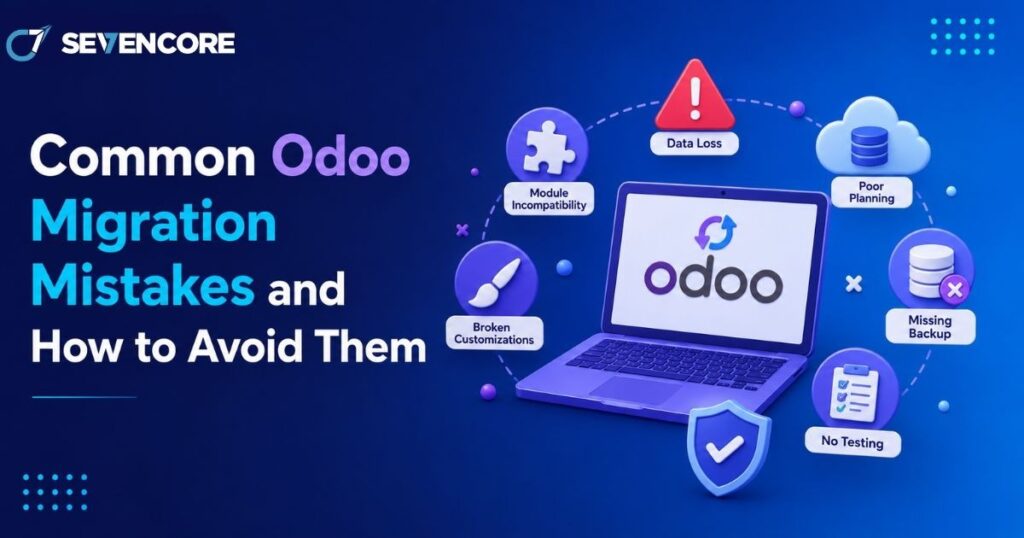
Migrating to Odoo promises fewer disconnected tools and cleaner workflows, but the process itself carries real risk if it is rushed. Industry research shows that 51% of ERP projects fail to deliver expected results due to poor execution, and Gartner puts overall ERP implementation failure rates above 70%, with roughly a quarter failing catastrophically. The root cause is almost never the software itself. It is nearly always how the migration was planned and executed. This guide walks through the mistakes that repeatedly derail Odoo migrations and what to do instead, so your project lands closer to the successful outcomes than the failed ones. Why Odoo Migrations Fail More Often Than Expected Odoo is flexible enough to fit almost any business, which is exactly why migrations go wrong. Teams either try to force Odoo into replicating their old system exactly, or they underestimate how much preparation a clean rollout actually requires. The Most Common Root Causes Treating migration as a simple software swap instead of a business process change Jumping into technical configuration before mapping existing workflows Underestimating the time and effort needed for Odoo migration planning Assuming the migration partner will catch every gap without clear internal input Mistake 1: Skipping a Proper Data Audit Before Migration Poor data quality is often described as the silent killer of ERP projects, and Odoo migrations are no exception. Moving duplicate records, outdated customer entries, or inconsistent product data straight into a new system just carries the same problems forward into a platform that was supposed to fix them. How to Avoid It Cleanse and de-duplicate data before migration begins, not during the cutover Migrate master data such as products, customers, and vendors before transactional records Run validation and count reconciliation checks at every stage of the transfer Mistake 2: Underestimating Odoo Database Migration Complexity Many teams assume moving data from one system to another is a straightforward export-and-import job. In practice, odoo database migration involves mapping fields between two very different data models, preserving historical relationships between records, and testing that nothing breaks once the data lands in its new structure. Businesses that treat this step lightly frequently discover broken links between orders, invoices, and inventory only after go-live, when fixing the issue is far more disruptive. Mistake 3: Over-Customizing Instead of Adapting to Odoo’s Native Workflow Over-customization that bypasses Odoo’s built-in structure is consistently cited as one of the leading causes of failed implementations. Businesses that insist on replicating every custom report and legacy workaround from their old system end up with a fragile, expensive-to-maintain build that defeats the purpose of upgrading in the first place. Start with Odoo’s native modules and workflows before requesting custom development Document a clear business justification for every customization request Revisit old processes critically rather than assuming they need to be preserved exactly Mistake 4: Starting Migration Without a Clear Roadmap Diving into data imports or module configuration without an agreed project plan is one of the fastest ways to trigger delays and rework. Teams that figure things out as they go typically discover mid-project that they have no clear path to their original goal, which often leads to scope creep and missed deadlines. Signs Your Project Is Missing a Roadmap No documented timeline with clear milestones for each migration phase No agreed definition of what “done” looks like before go-live Business stakeholders learning about scope changes after they have already happened Mistake 5: Insufficient Testing Before Go-Live Skipping structured testing cycles is another common way migrations unravel after launch. Organizations that run proper user acceptance testing before cutover report significantly fewer post-launch issues than those that rush straight to production. A single test pass is rarely enough for anything beyond the simplest datasets. Run multiple test migration cycles with increasing data volumes Involve actual end users in testing, not just the technical team Keep a rollback procedure ready in case the final cutover surfaces unexpected issues Mistake 6: Weak Change Management and User Adoption Planning A technically flawless migration can still fail if employees do not know how to use the new system or resist adopting it. Insufficient change management is consistently listed among the leading causes of ERP project struggles, alongside poor data quality and unclear scope. Train users well before go-live, not during the first week of production use Assign internal champions who can answer day-to-day questions after launch Communicate why the migration is happening, not just what is changing Choosing the Right Partner for Odoo Data Migration Services Many of the mistakes above are avoidable simply by working with a team that has handled this transition before. Experienced odoo data migration services bring structured discovery, tested migration scripts, and a realistic timeline instead of an ad hoc approach built on assumptions. A qualified partner will also flag scope and data quality issues early, before they turn into expensive fixes after go-live. If your migration also involves adapting workflows to fit your business, it is worth pairing this with Odoo customization services planned from the start rather than bolted on afterward. Frequently Asked Questions How long does a typical Odoo migration take? Timelines vary by data volume and complexity, but most mid-sized migrations run between 8 and 16 weeks, including data cleansing, testing cycles, and a planned cutover window. What causes the most post-launch issues in Odoo migrations? Poor data quality and insufficient testing before go-live are the two most frequently cited causes, often compounding each other when unclean data is pushed through untested workflows. Can a failed Odoo migration be fixed after go-live? Yes, though it typically costs more than getting it right the first time. Many Odoo partners specialize specifically in rescuing stalled or broken implementations, auditing what went wrong, and rebuilding the affected areas. Building a Migration Checklist That Actually Works Before starting, it helps to consolidate the lessons above into a short, practical checklist: Audit and cleanse legacy data before any transfer begins Map business processes before configuring modules Limit customization to genuine business needs, not habit
WordPress vs Custom Development: Which Is Right for Your Project?
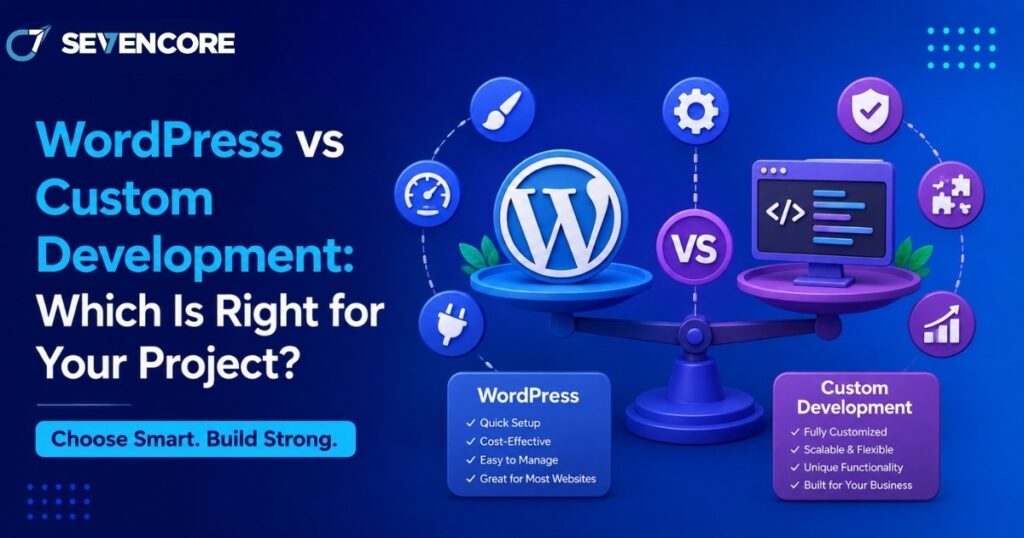
Every new website project eventually runs into the same fork in the road: build on WordPress or build custom. The numbers show just how lopsided this decision usually is in practice. WordPress now powers roughly 43% of all websites on the internet and commands close to 60% of the entire CMS market, according to W3Techs data. Yet that popularity comes with a tradeoff, since WordPress sites face an estimated 90,000 attack attempts per minute, and 97% of reported vulnerabilities trace back to third-party plugins and themes rather than the core software. Those two facts alone explain why this decision is not as simple as picking the more popular option. This guide breaks down when WordPress makes sense, when custom development is worth the extra investment, and how to decide with confidence. What Is WordPress Development? WordPress is an open-source content management system that lets users build and manage websites through pre-built themes, a plugin ecosystem, and a visual editor. It was originally built for blogging but has grown into a platform capable of running online stores, membership sites, and corporate web presences. How WordPress Sites Are Typically Built A theme controls the visual layout and design foundation Plugins add functionality such as SEO tools, forms, ecommerce, or caching A visual page builder allows non-technical users to edit content without touching code Hosting and updates are usually managed through a standard control panel What Is Custom Development? Custom development means building a website or application from scratch using a framework or programming language chosen specifically for the project, rather than relying on a pre-built CMS. This could mean a bespoke stack using React, Laravel, Django, or a headless architecture with a custom backend. How Custom Builds Typically Work Developers write the codebase around the exact business logic required No dependency on third-party plugins for core functionality Architecture is chosen based on performance, scale, and integration needs Ongoing maintenance is handled by the development team rather than a plugin marketplace WordPress vs Custom Development: Key Differences Cost and Timeline One of the first questions any team asks is WordPress vs custom development cost, and the gap can be significant. WordPress projects can often launch in a matter of weeks using existing themes and plugins, keeping upfront costs lower. Custom builds require more design and engineering hours before anything goes live, which raises the initial investment but can reduce costly rework later if the project scales quickly. Flexibility and Control WordPress relies on existing plugins, which can limit how deeply a feature can be customized Custom development gives full control over every function, since there is no plugin dependency to work around Headless or hybrid setups can offer a middle ground, using WordPress as a backend with a custom frontend Performance Custom-built sites are generally leaner because they only include the code the project actually needs. WordPress sites can accumulate plugin bloat over time, which slows load speed unless actively managed and optimized. Security Given that a large share of WordPress vulnerabilities originate in third-party plugins, security becomes an ongoing maintenance responsibility rather than a one-time setup task. Custom-coded applications are not automatically safer, but they remove the risk introduced by an unmanaged plugin marketplace, shifting security responsibility entirely onto the development team. Must read: Why Website Development Is More Important Than Ever in 2026 Benefits of Each Approach Why Businesses Choose WordPress Faster time to launch for content-driven or small business sites Large talent pool, making it easier to find support later Strong built-in SEO tooling through plugins like Yoast or Rank Math Lower upfront cost for straightforward websites Why Businesses Choose Custom Development Understanding the core custom web development benefits helps explain why larger or fast-growing companies often move away from off-the-shelf platforms. Custom applications scale more predictably under heavy traffic, integrate more cleanly with internal systems like CRMs or proprietary databases, and avoid the technical debt that can build up from stacking too many plugins on a single WordPress install. For products with unique workflows, such as marketplaces or SaaS dashboards, a custom foundation is often the only realistic path. Common Website Development Mistakes to Avoid Choosing between these two paths goes wrong more often than it should, and most of the failures repeat the same patterns. Avoiding these website development mistakes early can save significant rework: Choosing WordPress for a highly complex application that will outgrow the plugin ecosystem within a year Choosing custom development for a simple brochure site that never needed that level of engineering investment Underestimating ongoing plugin maintenance and security patching on a WordPress install Failing to plan for scalability before traffic actually arrives Ignoring hosting requirements, since custom applications often need different infrastructure than shared WordPress hosting When to Bring In Custom Web Development Services Not every internal team has the bandwidth or expertise to weigh these tradeoffs accurately, especially for projects involving complex integrations or compliance requirements. Working with custom web development services can help clarify which architecture fits the actual business goals, rather than defaulting to whichever platform the team already knows. A good development partner will also flag long-term maintenance costs upfront, which are easy to underestimate in the planning phase of either approach. Emerging Custom Software Development Trends The decision between WordPress and custom development is increasingly shaped by broader custom software development trends. Headless architecture is growing quickly, letting teams pair a WordPress backend with a fully custom frontend built in React or Vue, capturing some of the speed benefits of WordPress with more design freedom. AI-assisted development tools are also shortening custom build timelines, narrowing the cost gap that used to favor WordPress for smaller projects. At the same time, AI website builders are starting to compete directly with WordPress for simple sites, adding a third option many teams did not have a few years ago. Frequently Asked Questions Is WordPress good enough for a business website? Yes, for most standard business websites, blogs, and small ecommerce stores, WordPress provides enough flexibility and a lower cost of
Local SEO Strategies to Grow Your Service Business in India

Local SEO is the process of optimizing a business’s online presence so it appears in location-based search results when potential customers look for relevant services in a specific area. For service businesses across India, local search has become one of the most powerful ways to get discovered, since customers are no longer flipping through directories or asking around for recommendations. Recent data shows that nearly 46% of all Google searches have local intent, and close to 76% of people who search for something nearby visit a business within a day. Search behavior has also shifted dramatically, moving from traditional keyword searches to Google Maps, AI-powered search, and conversational voice queries. The core benefit of local SEO services India businesses can tap into is simple: getting discovered by customers who are actively looking for services in a specific location, right when they’re ready to act. This article covers ten practical strategies to help Indian service businesses strengthen their local search presence and turn nearby searches into real, qualified leads. What is local SEO for service businesses? Local SEO is the process of optimizing a business’s online presence so it appears in location-based search results when potential customers look for relevant services in a specific area. Why Is Local SEO Important for Service Businesses in India? Customers Search for Services Near Their Location Every day, people type highly specific, location-driven searches into Google, such as: “Digital marketing agency near me” “Best dental clinic in Ahmedabad” “Web development company in Mumbai” “AC repair service near me” These searches show clear intent to hire someone nearby, right now. Local SEO Helps You Reach High-Intent Customers Local SEO connects search intent directly with location, targeting users who are actively looking for a service rather than just browsing. This naturally increases qualified inquiries and calls, since the people finding your business are already close to making a decision. It Helps Small Businesses Compete With Larger Brands Smaller service providers can build strong visibility within specific cities and service areas without trying to compete nationally. By focusing on local relevance instead of broad national rankings, a business can establish real authority within its own geographic market. Local Search Influences Calls, Visits, and Leads A strong local presence directly drives real business actions, including: Phone calls Website visits Direction requests WhatsApp inquiries Appointment bookings Quote requests 10 Local SEO Strategies to Grow Your Service Business in India 1. Optimize Your Google Business Profile A well-optimized Google Business Profile is one of the most important factors in local visibility. This means claiming and verifying your profile, using your exact business name, and selecting the most relevant primary category along with useful secondary categories. Add a clear business description, accurate phone number and website details, updated business hours, and defined service areas. Uploading high-quality photos, videos, and a complete list of services rounds out a strong profile. Why Google Business Profile Matters for Local SEO Improves visibility in Google Maps Helps customers find essential business information Supports local discovery and customer actions How do I optimize my Google Business Profile for local SEO? Complete every relevant profile field, select accurate business categories, maintain consistent business information, add services and photos, collect genuine reviews, and keep your profile regularly updated. 2. Target Location-Based Keywords Identifying the right primary service keywords is the foundation of any local SEO company in Ahmedabad or elsewhere in India would recommend. Common patterns include: Service + city Service + area Service + “near me” Best + service + location Service provider + location From there, build focused keyword groups, such as “website development company in Ahmedabad,” “website development company in Gujarat,” or “custom web development services Ahmedabad.” Use these local keywords naturally across page titles, H1 and H2 headings, meta descriptions, service page content, URLs, image alt text, FAQs, and internal anchor text. Avoid keyword stuffing or creating dozens of nearly identical city pages with little unique value. 3. Create Dedicated Location and Service Pages Build pages around real search intent, including service and city combinations, service and area pages, industry and location pages, and dedicated location landing pages. Each location page should include: A local introduction Services available in that area Specific customer problems you solve Local industry context Service coverage area Local testimonials or case studies FAQs A clear call to action Avoid low-quality doorway pages by never duplicating the same content for every city. Instead, add genuinely useful local information and make sure each page serves a distinct search intent. 4. Keep Your NAP Information Consistent NAP stands for Name, Address, and Phone Number, and keeping this information consistent is a foundational part of local search ranking. Check your business information across your Google Business Profile, website, social media profiles, general business directories, industry-specific directories, and local citations. Why NAP Consistency Matters Builds trust and credibility Reduces customer confusion Makes business information easier to verify What is NAP consistency in local SEO? NAP consistency means keeping your business name, address, and phone number accurate and consistent across your website, Google Business Profile, directories, and other online platforms. 5. Build and Manage Genuine Customer Reviews Encourage satisfied customers to leave reviews after completing a service, and make the review process as easy as possible with a direct request when appropriate. Respond to every review, thanking customers for positive feedback and addressing negative reviews professionally, without becoming defensive or aggressive. Always focus on authentic reviews. Never buy fake reviews, incentivize misleading feedback, or manipulate customer responses in any way. Genuine reviews build trust with potential customers, influence decision-making, and strengthen overall local business credibility. 6. Create Locally Relevant, Helpful Content Publish content based on real local search intent, answering questions like “How much does [service] cost in Ahmedabad?” or “Best [service] for small businesses in Mumbai.” Other useful formats include local service guides, city-specific blogs, FAQs, case studies, customer success stories, and local industry insights that speak directly to your target audience. 7. Strengthen Your Website’s Local SEO Signals A digital marketing agency near
What Is Digital Marketing in 2026? Key Trends Explained

Digital marketing looks nothing like it did just a few years ago. Nearly 95 percent of marketers now use some form of AI in their daily workflow, and consumers increasingly discover brands through AI assistants, social platforms, and video before they ever type a query into Google. Search behavior has changed, customer expectations have risen, and the tools marketers rely on have grown far more intelligent. This shift is being driven by three forces working together. Artificial intelligence has moved from an experimental add-on to a core part of everyday strategy. Search itself has evolved beyond keywords into something that understands context and intent. And customers now expect experiences that feel personal, instant, and relevant across every platform they use. This guide is written for business owners, marketers, startups, and enterprise teams who want a clear, practical understanding of where the industry stands today. By the end, you will know what digital marketing means in 2026, why it matters more than ever, and which trends deserve your attention this year. What Is Digital Marketing? Digital marketing is the practice of promoting products or services through online channels such as search engines, social media, email, and video. In simple terms, it is how businesses use digital channels to attract attention, engage an audience, and convert interest into action. Rather than relying on a single platform, modern marketing spreads across many touchpoints, including websites, apps, marketplaces, and messaging tools, so that a brand can meet customers wherever they already spend time. Why Digital Marketing Matters More Than Ever Competition online has grown sharply, which means visibility can no longer be assumed. A few reasons this matters right now: Customers research extensively before making a purchase decision Brands need visibility across multiple platforms, not just one channel Buyers compare options using reviews, videos, and community recommendations Data-driven decision making now shapes almost every marketing choice Businesses that treat their online presence as a single checklist item tend to fall behind those that build a coordinated, multi-channel strategy. How Digital Marketing Has Changed in 2026 From Keywords to User Intent Search engines no longer rely on exact keyword matches. Instead, they interpret context, meaning, and the underlying question behind a query. This shift toward semantic search means content needs to answer what a person actually wants to know, not simply repeat a phrase. Intent-first optimization has become the standard approach, where content is structured around the question being asked rather than a target term. AI Is Now Part of Every Marketing Strategy Artificial intelligence touches nearly every stage of a campaign today. Common applications include: AI-assisted content creation for blogs, ads, and social posts Predictive analytics that forecast customer behavior AI-powered customer support that handles routine questions instantly Personalized experiences generated in real time based on user activity Search Is No Longer Limited to Google Discovery now happens across a much wider set of platforms, including AI assistants, voice search, social search, video search, and community-driven platforms like forums and review sites. A strategy built only around one search engine misses a large share of potential customers. Key Digital Marketing Trends in 2026 AI-Powered Content Marketing Teams are using AI tools for content planning and first drafts, but human editing remains essential for accuracy and brand voice. This combination allows personalized content at scale without sacrificing quality. Search Everywhere Optimization Visibility now needs to extend across: Traditional Google Search AI search engines and chat-based assistants Voice assistants like Siri and Alexa Social media search on platforms such as TikTok and Instagram YouTube SEO for video discovery Zero-Click Search Optimization Many searches never lead to a click at all. Instead, answers appear directly through featured snippets, AI-generated summaries, knowledge panels, and FAQs supported by structured data. Optimizing for these formats helps a brand stay visible even when users do not visit the website directly. First-Party Data Marketing With reduced reliance on third-party cookies, businesses are turning to first-party data collected through email marketing, CRM systems, and customer data platforms to understand their audience directly. Video-First Marketing Short-form videos, educational content, product demonstrations, and live streaming continue to dominate attention spans, especially among younger audiences who prefer to watch rather than read. Hyper-Personalization Dynamic landing pages, personalized email campaigns, AI recommendations, and behavior-based automation allow brands to tailor experiences to individual users rather than broad segments. Conversational Marketing AI chatbots, live chat, and messaging apps now provide instant customer support around the clock, reducing response times and improving satisfaction. Local SEO and Geo-Targeted Marketing For businesses with a physical presence, local SEO remains critical. Key elements include: Google Business Profile optimization Managing local reviews Location-based advertising Capturing “near me” search traffic How AI Is Transforming Digital Marketing AI Content Creation AI tools speed up content production through topic generation, content briefs, and editing assistance, allowing teams to publish more without burning out. AI for Customer Insights Marketers now use AI to study predictive behavior, build audience segmentation, and forecast purchasing patterns before a campaign even launches. AI for Marketing Automation Automation handles repetitive work such as email sequences, lead scoring, and smart campaign triggers, freeing teams to focus on strategy and workflow automation instead of manual execution. AI Limitations Despite its power, AI has clear boundaries. Human creativity, consistent brand voice, accuracy verification, and ethical considerations all still require human oversight. AI should support a strategy, not replace judgment entirely. Key Takeaways Digital marketing in 2026 is driven by AI, personalization, and intent-based experiences Success depends on being discoverable across traditional search engines, AI assistants, social platforms, and voice search Businesses should prioritize helpful, authoritative content over high publishing volume Combining SEO, AEO, GEO, and LLM optimization creates a stronger long-term visibility strategy Continuous testing, analytics, and adaptation are essential as digital marketing keeps evolving The brands that win this year will be the ones that treat digital marketing as an ongoing, adaptable practice rather than a fixed set of tactics.