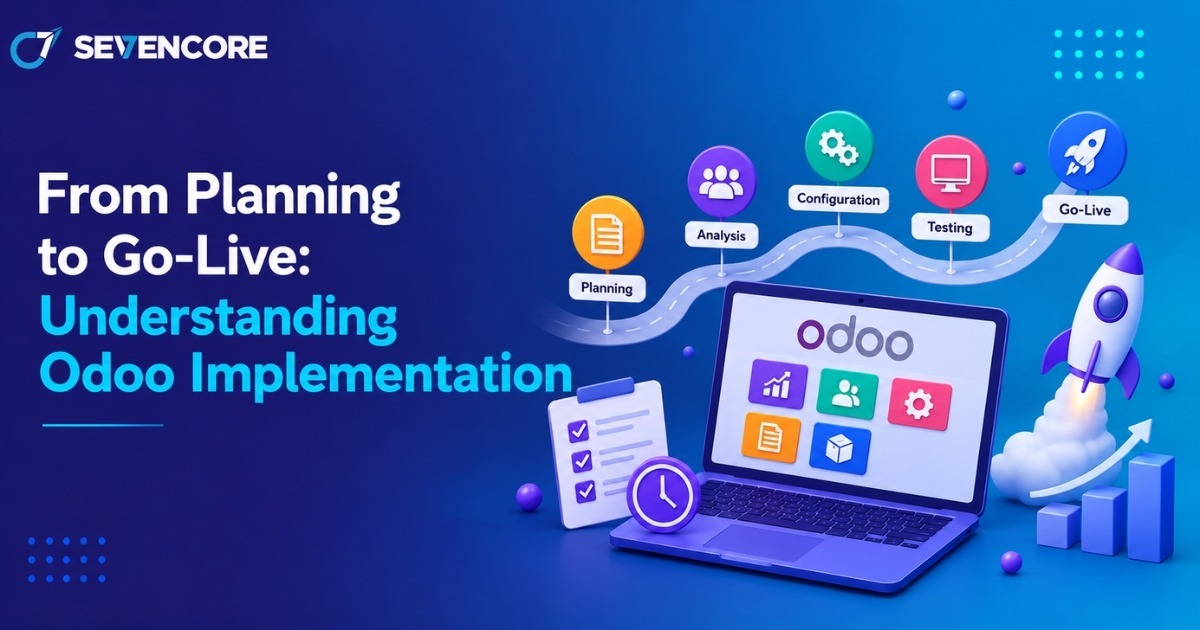
Odoo implementation is the process of planning, configuring, testing, and deploying Odoo so it supports a company’s real business processes. It connects workflows, users, data, permissions, and departments in one operating environment.
Odoo is an integrated suite of business applications covering CRM, sales, accounting, inventory, manufacturing, projects, and more. Odoo currently states that its platform serves 28 million users. The business value, however, depends less on the number of available apps and more on selecting and implementing the right ones.
This guide explains the complete journey from planning to go-live and ongoing support.
What Is Odoo Implementation?
Odoo implementation is the structured process of adapting Odoo to business requirements and preparing employees to use it effectively. It generally includes requirement analysis, module selection, configuration, customization where needed, data migration, testing, training, deployment, and post-launch support. Businesses often implement Odoo to replace disconnected systems, reduce repeated manual work, improve cross-department visibility, and create more consistent workflows.
The main stages are planning, module selection, configuration, customization and integration, data migration, testing and training, go-live, and post-go-live support.
How Does Odoo Implementation Work?
Odoo implementation works by translating business requirements into a configured ERP environment, validating it with real users and data, and moving the approved setup into production. Each stage should reduce uncertainty before the next stage begins.
1. What Happens During Planning and Requirement Analysis?
The team first defines what the business wants Odoo to solve. This means documenting goals, process gaps, required users, reporting needs, critical workflows, project scope, dependencies, and timeline.
For example, a distributor may prioritize sales, purchasing, inventory, and accounting, while a manufacturer may also need bills of materials, work orders, quality checks, and production planning. Clear requirements help prevent unnecessary changes later.
2. How Are the Right Odoo Modules Selected?
Modules should be chosen according to actual business processes rather than enabling every available feature. Common modules include CRM, Sales, Accounting, Inventory, Manufacturing, and HR. Because Odoo apps are designed to work together, information created in one workflow can support another. A confirmed sales order, for example, may affect delivery, stock, invoicing, and reporting depending on the configuration.
Starting with high-priority modules can make the rollout easier to control.
3. What Is Configured in Odoo?
Configuration sets up standard Odoo features around the organization’s workflows. This can include sales stages, warehouses, taxes, approval rules, accounting settings, product categories, companies, currencies, and user permissions. Odoo’s current documentation explains that administrators can assign users to access groups and control which information they can access. A finance user, for example, may need accounting access without permission to change manufacturing settings.
4. When Are Customization and Integration Needed?
Customization is useful when an important requirement cannot be handled adequately through standard configuration. Integration is needed when Odoo must exchange data with systems such as payment gateways, e-commerce platforms, shipping providers, or legacy applications. Odoo Development should focus on requirements that create clear operational value rather than recreating every feature of an old system.
Before custom coding, teams should check whether standard features, configuration, supported connectors, or a process change can solve the same need with less maintenance.
5. How Is Existing Data Migrated to Odoo?
Data migration moves required records from spreadsheets or older systems into Odoo. It normally includes cleaning, mapping, test imports, validation, reconciliation, and final migration. Odoo documentation supports importing records using formats such as CSV and Excel and warns that imports are permanent. That makes test imports and validation important before production migration.
Typical data can include customers, suppliers, products, inventory quantities, employee records, opening balances, and outstanding transactions. Migrating only accurate and necessary data also reduces clutter.
6. Why Are Testing and Training Necessary?
Testing confirms that workflows behave as expected, while training helps employees perform daily tasks correctly. Both should happen before launch.
Testing can cover business processes, integrations, migrated data, permissions, reports, and user acceptance. User acceptance testing is especially useful because employees can validate realistic scenarios before production use.
Training should be role-specific because sales teams, accountants, warehouse users, managers, and administrators need different instructions.
7. What Happens During Go-Live?
Go-live is when the production Odoo system becomes the main environment for business operations. Before launch, teams should complete final migration, access checks, backups, integration validation, user setup, and cutover planning.
A phased rollout can be useful for businesses with several departments, locations, or complex processes. During the first days, support should also be readily available to resolve operational questions quickly.
8. What Happens After Odoo Goes Live?
Post-go-live work focuses on stabilization and improvement. Teams monitor errors, adoption, reports, integrations, system performance, and workflow bottlenecks. Not every improvement needs to be completed before launch. Some requests are easier to prioritize after employees have used the system and can identify genuine needs.
Ongoing reviews can help determine when to optimize workflows, refine permissions, add modules, or update integrations.
What Are the Benefits of Odoo Implementation?
A well-planned implementation can centralize operations, standardize workflows, improve data visibility, and reduce duplicate work. The result depends on the modules deployed, data quality, process design, and user adoption.
Key benefits include:
- Centralized business management across connected departments
- More consistent and automated workflows
- Better access to operational and management data
- Less duplicate entry and fewer manual handoffs
- More flexibility to add modules, users, companies, or workflows later
The strongest gains usually come when implementation simplifies inefficient processes instead of only digitizing them.
Conclusion
Odoo implementation moves through planning, module selection, configuration, customization, data migration, testing, training, go-live, and continuous improvement. Technical setup is important, but clean data, realistic testing, user involvement, and clear requirements are equally important.
Businesses should define a practical scope, involve process owners early, test real scenarios, and prepare users before production launch.
For organizations that want external support, Sevencore provides Odoo implementation services covering requirement analysis, configuration, data migration, workflow setup, training, deployment, and ongoing support. Businesses can review Sevencore’s Odoo implementation page to understand the available scope before deciding whether it fits their requirements.
Frequently Asked Questions
What is Odoo implementation?
Odoo implementation is the process of setting up Odoo around a business’s requirements, including modules, configuration, data migration, testing, training, deployment, and support.
How long does Odoo implementation take?
There is no universal timeline. Duration depends on the number of modules, business complexity, integrations, customization, data quality, user count, and the speed of decision-making and testing. Small, focused projects may take weeks, while broader rollouts can take longer.
Is Odoo customization necessary?
No. Businesses should first use standard Odoo features and configuration where possible, then customize only when a validated requirement cannot be met effectively through the standard system.
Can existing data be migrated to Odoo?
Yes. Existing data can be migrated after it is cleaned, mapped, tested, and validated. Odoo supports importing many business records from CSV and spreadsheet files.
What happens after Odoo goes live?
Teams monitor the system, resolve issues, support users, review performance, and prioritize improvements. Post-launch optimization helps the system evolve with operational needs.
References and Sources
- Odoo 19.0 Documentation — Users and access rights.
- Odoo Documentation — Export and import data.