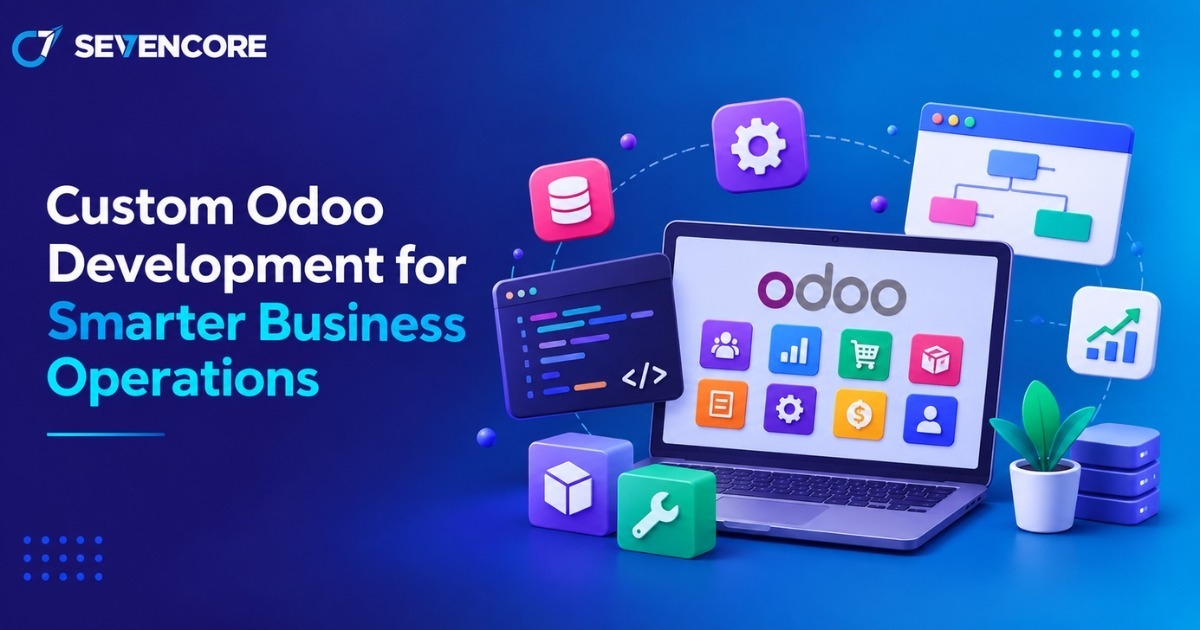
Businesses often outgrow generic software when processes become complex, teams use disconnected tools, or reporting requires too much manual work. A tailored Odoo setup addresses this by adapting ERP workflows, integrations, modules, and reports to how a company operates.
Odoo describes its platform as an integrated suite covering CRM, accounting, inventory, eCommerce, point of sale, project management, and more. It reports more than 28 million users, 50 main applications, and over 50,000 community-contributed apps.
What Is Custom Odoo Development?
Custom Odoo development means extending or modifying Odoo when standard configuration cannot fully meet business requirements. It may involve new modules, workflow logic, integrations, reports, permissions, or interfaces.
How Does Custom Odoo Development Work?
The process starts by mapping workflows and identifying gaps. Teams configure standard features first, then build custom code only where needed to avoid unnecessary complexity.
Custom Odoo Development vs. Standard Odoo
Standard Odoo offers ready-made applications and configurable features. Custom development changes how those features behave or adds new capabilities. Standard functionality is usually faster to deploy, while custom work supports unique processes.
When Does a Business Need Custom Odoo Development?
It is useful when teams rely on spreadsheets, duplicate data entry, manual approvals, disconnected software, or industry-specific processes that standard modules cannot handle efficiently.
Why Do Businesses Choose Custom Odoo Development?
Businesses usually customize Odoo to improve efficiency, data consistency, visibility, and scalability while keeping operations connected.
Automate Repetitive Business Processes
Automation can trigger activities, update records, send notifications, or perform predefined actions. Odoo documentation confirms that automation rules can respond to value changes, timing conditions, email events, custom triggers, and external events.
Customize Workflows to Match Business Requirements
Approval chains, sales stages, service processes, inventory rules, and internal controls can be aligned with how teams actually work.
Integrate Odoo With Existing Business Systems
Odoo can connect with payment platforms, eCommerce systems, logistics tools, databases, and other applications. Odoo 19 also provides a JSON-2 external API for supported plans, allowing external applications to work with Odoo data through authenticated requests.
Improve Reporting and Data Visibility
Custom dashboards can focus on department-specific KPIs. Odoo dashboards can combine data from multiple Odoo sources and refresh information from the database for up-to-date operational visibility.
Support Business Growth and Scalability
A well-designed solution can accommodate more users, locations, products, workflows, and departments without requiring a complete system replacement.
What Odoo Development and Customization Services Are Available?
These services can range from focused workflow changes to broader ERP extensions and integrations.
Custom Odoo Module Development
New modules can support functions not fully covered by standard applications, including industry-specific operations or specialized approval processes.
Odoo ERP Customization
Existing modules can be adapted through fields, forms, menus, access rules, business logic, and user interfaces.
Odoo API and Third-Party Integration
Integrations allow data to move automatically between Odoo and external systems, reducing duplicate entry and improving information consistency.
Odoo Workflow Automation
Automated actions can handle recurring steps such as reminders, follow-ups, approvals, record updates, and task creation.
Custom Reports and Dashboards
Businesses can create role-specific dashboards, charts, pivot views, and management reports to improve analysis and provide teams with relevant information.
Odoo Migration and Upgrades
Migration work may include data transfer, module compatibility checks, custom code updates, testing, and deployment planning when moving between systems or Odoo versions.
How Can Custom Odoo Development Improve Business Operations?
The main value comes from creating simpler, connected processes that reduce friction in daily work.
Reduce Manual Work and Operational Errors
Automation and validation can reduce repeated typing, missed follow-ups, inconsistent records, and unnecessary manual handoffs.
Streamline Cross-Department Workflows
Sales, finance, inventory, purchasing, service, and operations can share connected records instead of relying on separate spreadsheets or email chains.
Centralize Business Data
A unified ERP creates a common source of operational information, making relevant records easier for authorized users to access and manage.
Improve Business Decision-Making
Real-time dashboards and structured reports help managers identify bottlenecks, compare performance, and make decisions using current operational data.
Build Scalable Business Processes
Custom logic can be designed for future growth so processes can evolve as teams, transaction volumes, locations, and operational requirements change.
What Is the Custom Odoo Development Process?
A structured process reduces rework and keeps the project focused on business outcomes rather than adding unnecessary features.
Business Requirement Analysis
Teams map current workflows, pain points, users, reports, integrations, and desired results before development begins.
Solution Planning and Technical Design
Developers identify what can use standard Odoo features and where custom modules, workflows, or integrations are justified.
Odoo Development and Customization
Approved workflows, features, interfaces, modules, and integrations are built in a controlled development environment.
Testing and Quality Assurance
Functional, integration, access-control, data, and user acceptance testing help identify problems before the system goes live.
Deployment and Data Migration
The tested solution moves to production, required business data is migrated, and users receive access based on defined roles.
Ongoing Maintenance and Support
Post-launch support may include bug fixes, performance monitoring, version compatibility, security updates, and future enhancements.
How to Choose the Right Odoo Development Company?
Choose a partner based on relevant experience, technical capability, transparent processes, and the ability to support your ERP after deployment.
Evaluate Odoo Development Experience
Look for experience with the Odoo versions, modules, deployment models, and business processes relevant to your organization.
Check Customization and Integration Expertise
The team should understand module development, APIs, database structures, access controls, and connections with external business systems.
Review Previous Odoo Projects
Case studies and previous project examples can help determine whether the provider has handled requirements similar to yours.
Assess Security and Support Capabilities
Ask how the provider manages permissions, backups, testing, API credentials, upgrades, issue resolution, and ongoing technical maintenance.
Conclusion: Building Smarter Business Operations With Custom Odoo Development
A tailored Odoo environment can automate repetitive work, connect departments, centralize data, and support future growth. Strong implementations begin with clear requirements and use customization where it creates practical business value.
If your organization is planning an Odoo implementation, integration, migration, or workflow improvement, Sevencore offers Odoo development, customization, migration, integration, consulting, and support services. Visit Sevencore to discuss your requirements and identify where a tailored Odoo solution could improve your operations.
Frequently Asked Questions
What is odoo custom development?
It is the process of extending Odoo with custom modules, workflows, integrations, reports, or business logic when standard configuration does not fully meet business requirements.
What is the difference between Odoo customization and Odoo development?
Customization usually adjusts existing features and workflows, while development may create new modules, integrations, or coded functionality. Many ERP projects use both approaches.
When should a business customize Odoo?
Consider customization when standard features cannot efficiently support critical workflows, integrations, reporting needs, automation requirements, or industry-specific processes.
How long does custom Odoo development take?
Timelines depend on scope. Small changes may take days, while multi-module implementations, migrations, and complex integrations can take several weeks or months.
Can Odoo integrate with third-party software?
Yes. Odoo supports external integrations through APIs and custom connectors, subject to the technical capabilities and licensing requirements of the connected systems.