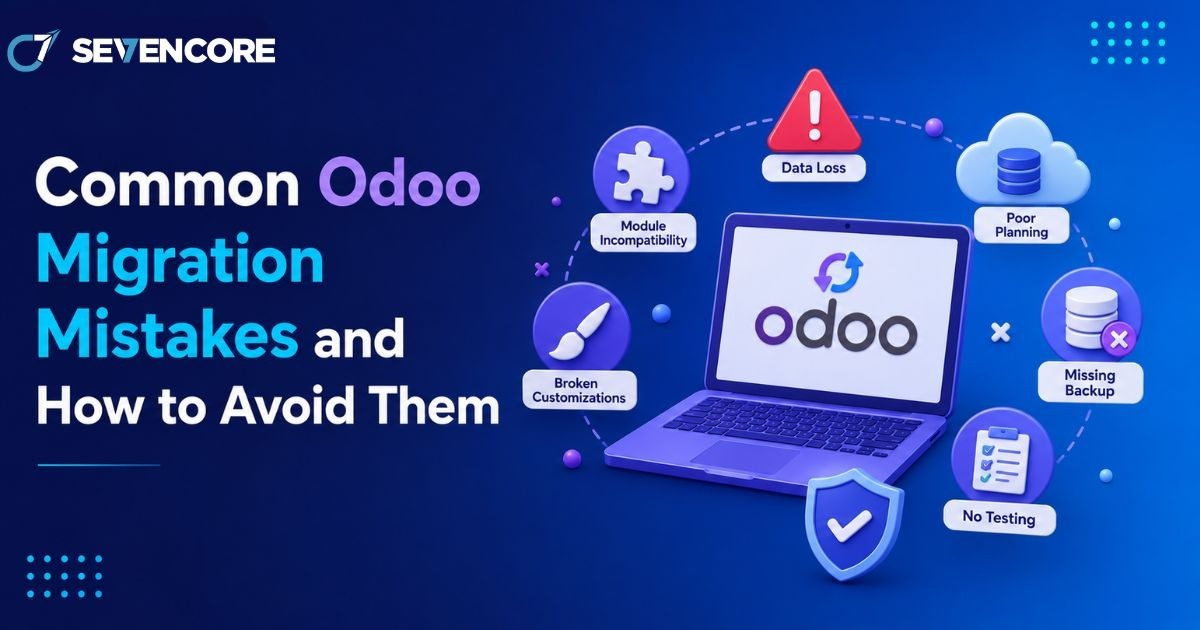
Migrating to Odoo promises fewer disconnected tools and cleaner workflows, but the process itself carries real risk if it is rushed. Industry research shows that 51% of ERP projects fail to deliver expected results due to poor execution, and Gartner puts overall ERP implementation failure rates above 70%, with roughly a quarter failing catastrophically. The root cause is almost never the software itself. It is nearly always how the migration was planned and executed. This guide walks through the mistakes that repeatedly derail Odoo migrations and what to do instead, so your project lands closer to the successful outcomes than the failed ones.
Why Odoo Migrations Fail More Often Than Expected
Odoo is flexible enough to fit almost any business, which is exactly why migrations go wrong. Teams either try to force Odoo into replicating their old system exactly, or they underestimate how much preparation a clean rollout actually requires.
The Most Common Root Causes
- Treating migration as a simple software swap instead of a business process change
- Jumping into technical configuration before mapping existing workflows
- Underestimating the time and effort needed for Odoo migration planning
- Assuming the migration partner will catch every gap without clear internal input
Mistake 1: Skipping a Proper Data Audit Before Migration
Poor data quality is often described as the silent killer of ERP projects, and Odoo migrations are no exception. Moving duplicate records, outdated customer entries, or inconsistent product data straight into a new system just carries the same problems forward into a platform that was supposed to fix them.
How to Avoid It
- Cleanse and de-duplicate data before migration begins, not during the cutover
- Migrate master data such as products, customers, and vendors before transactional records
- Run validation and count reconciliation checks at every stage of the transfer
Mistake 2: Underestimating Odoo Database Migration Complexity
Many teams assume moving data from one system to another is a straightforward export-and-import job. In practice, odoo database migration involves mapping fields between two very different data models, preserving historical relationships between records, and testing that nothing breaks once the data lands in its new structure. Businesses that treat this step lightly frequently discover broken links between orders, invoices, and inventory only after go-live, when fixing the issue is far more disruptive.
Mistake 3: Over-Customizing Instead of Adapting to Odoo’s Native Workflow
Over-customization that bypasses Odoo’s built-in structure is consistently cited as one of the leading causes of failed implementations. Businesses that insist on replicating every custom report and legacy workaround from their old system end up with a fragile, expensive-to-maintain build that defeats the purpose of upgrading in the first place.
- Start with Odoo’s native modules and workflows before requesting custom development
- Document a clear business justification for every customization request
- Revisit old processes critically rather than assuming they need to be preserved exactly
Mistake 4: Starting Migration Without a Clear Roadmap
Diving into data imports or module configuration without an agreed project plan is one of the fastest ways to trigger delays and rework. Teams that figure things out as they go typically discover mid-project that they have no clear path to their original goal, which often leads to scope creep and missed deadlines.
Signs Your Project Is Missing a Roadmap
- No documented timeline with clear milestones for each migration phase
- No agreed definition of what “done” looks like before go-live
- Business stakeholders learning about scope changes after they have already happened
Mistake 5: Insufficient Testing Before Go-Live
Skipping structured testing cycles is another common way migrations unravel after launch. Organizations that run proper user acceptance testing before cutover report significantly fewer post-launch issues than those that rush straight to production. A single test pass is rarely enough for anything beyond the simplest datasets.
- Run multiple test migration cycles with increasing data volumes
- Involve actual end users in testing, not just the technical team
- Keep a rollback procedure ready in case the final cutover surfaces unexpected issues
Mistake 6: Weak Change Management and User Adoption Planning
A technically flawless migration can still fail if employees do not know how to use the new system or resist adopting it. Insufficient change management is consistently listed among the leading causes of ERP project struggles, alongside poor data quality and unclear scope.
- Train users well before go-live, not during the first week of production use
- Assign internal champions who can answer day-to-day questions after launch
- Communicate why the migration is happening, not just what is changing
Choosing the Right Partner for Odoo Data Migration Services
Many of the mistakes above are avoidable simply by working with a team that has handled this transition before. Experienced odoo data migration services bring structured discovery, tested migration scripts, and a realistic timeline instead of an ad hoc approach built on assumptions. A qualified partner will also flag scope and data quality issues early, before they turn into expensive fixes after go-live. If your migration also involves adapting workflows to fit your business, it is worth pairing this with Odoo customization services planned from the start rather than bolted on afterward.
Frequently Asked Questions
How long does a typical Odoo migration take?
Timelines vary by data volume and complexity, but most mid-sized migrations run between 8 and 16 weeks, including data cleansing, testing cycles, and a planned cutover window.
What causes the most post-launch issues in Odoo migrations?
Poor data quality and insufficient testing before go-live are the two most frequently cited causes, often compounding each other when unclean data is pushed through untested workflows.
Can a failed Odoo migration be fixed after go-live?
Yes, though it typically costs more than getting it right the first time. Many Odoo partners specialize specifically in rescuing stalled or broken implementations, auditing what went wrong, and rebuilding the affected areas.
Building a Migration Checklist That Actually Works
Before starting, it helps to consolidate the lessons above into a short, practical checklist:
- Audit and cleanse legacy data before any transfer begins
- Map business processes before configuring modules
- Limit customization to genuine business needs, not habit
- Build a documented roadmap with clear milestones
- Run multiple rounds of testing with real users
- Plan change management and training well ahead of go-live
Conclusion
Odoo migrations rarely fail because of the platform itself. They fail because of avoidable mistakes around data quality, over-customization, weak planning, and rushed testing. Businesses that treat migration as a structured project rather than a simple technical swap consistently land closer to their expected outcomes, with far less disruption along the way. If your team is planning a move to Odoo, working through each of these areas before the first data record is transferred is the clearest path to a smooth rollout. For more on how the right implementation choices affect long-term outcomes, see our related guide on how Odoo development simplifies business management and our roundup of the top 10 Odoo modules every SME should implement.
References
- Cudio, Top Odoo Implementation Mistakes to Avoid for Successful Integration
- Voxtronme, Common Odoo Implementation Mistakes & How Experienced Partners Prevent Them
- Synavos, 8 Costly Mistakes to Avoid During Odoo Migration
- The Ledger Labs, Top 7 Challenges in Odoo ERP Migration (And How to Overcome Them)